This is going to show the development of my solution to the Edutainment challenge.
First I used a VStack and HStack to create a table layout.

Based on position I began to change the attributes of the Text.

If an entry in the table is "masked" I change the output.

Then I changed the Text entries in the table to be Buttons and added a background image.

For now every time the "Mask" button is pressed I randomly mask out a value. I change the mask from "*" to "??" and change the color and size on the masked value.

When you tap a masked entry a question is displayed in an alert.

If you enter the correct value another alert acknowledges and the mask is taken off the entry in the table.

5 x 2 is no longer masked because of the correct answer.

To get this to work I had to learn how to use an ObservableObject.
The next thing was to select the multipliers. This is done by tapping a row or column header.
This allows the user to select what they want to practice. Here the user has selected column "3" and row "10". The values are masked for 3 and 10 for both the rows and the columns. This is because 3 x 5 is the same as 5 x 3.

Next I begin the View that will allow the user to play the game.

Next I created a new UIView and used @Binding to share the needed data. For now I just rough out the random generation of questions.
The way it works is that the user taps a row or column header. The row or column header is currently blue when selected. Then a set of random questions are generated. I put them in a list for now. I am not sure how the UI will end up.

After running into bugs where all the Buttons in a Form view perform their action when any button is selected and the annoyance that an array in an Observable object doesn't update I have finally got to my final solution.

Changing buttons and such...
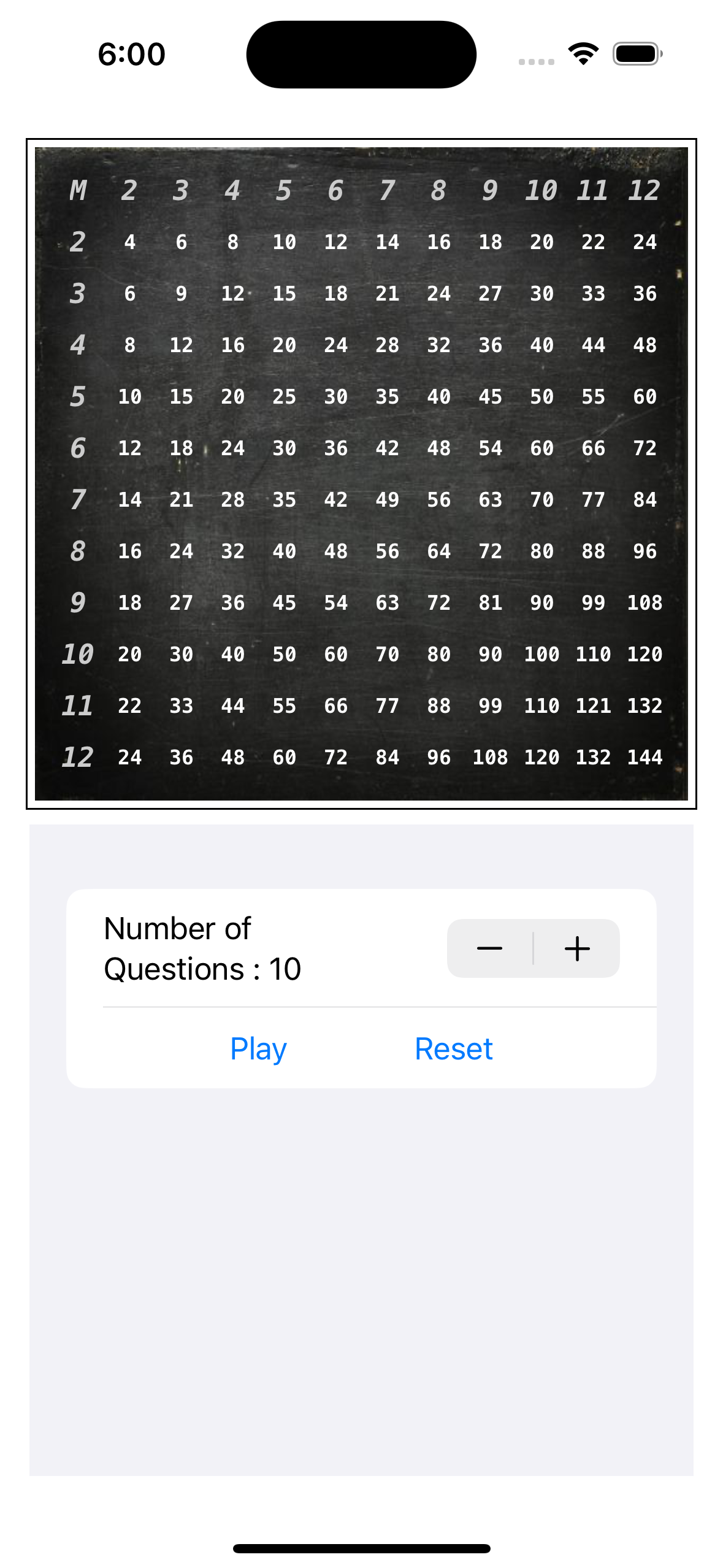
Getting an array of responses by using an Observable Object.

Changing the colors.

Click a row or column label to select which number you want to practice.
Click Play and it will mask out the answers for how many questions you want.

Click a masked entry and the app prompts you.


The app keeps a list of your answers. If your answer is incorrect the value remains masked in the multiplication table.

I probably over did the assignment but I wanted to dig deeper.

